 knacksnews
Securing Access: The Simple Power of OAuth and 2FA
Imagine walking into your home and realizing someone copied your key, entered without permission, and tampered with everything inside. That's what weak user authentication and security can do in the digital world—leave systems open to attack. With so many apps and services locked behind login screens, protecting access is more important than ever.
It's not just about passwords anymore. It's about how we verify identity, manage sessions, and stay ahead of evolving threats. In this article, we'll look at the core tools—login systems, OAuth, and 2FA—that help keep accounts secure and make access safe and seamless.
The Basics: Login Systems and Their Role
At its core, user authentication begins with the login. It’s the front door. Traditionally, that meant a username and password combo. Still widely used today, it's familiar but not always the most secure. Passwords can be guessed, stolen, or reused across platforms, creating a chain of vulnerability.
Modern login systems have evolved a bit. They often include checks like CAPTCHA to prevent bots or brute-force attempts. Some platforms limit login attempts or lock accounts temporarily after too many failures. But these layers, while helpful, are only surface-level protections. The bigger goal is to confirm a person's identity while making sure the process isn't a hassle.
Session management is also part of the login conversation. Once logged in, how long should a session stay active? Should users be logged out after a while, or if the browser closes? Should there be inactivity timers? These choices shape the user experience but also define how tight the security is. Good login systems strike a careful balance—smooth for the user and tough for intruders.
The evolution of login systems has also introduced biometric logins, device-based access checks, and risk-based authentication. These methods use what you already have—your phone, your fingerprint, or your device history—to keep things safer without making them harder.
OAuth: The Secure Shortcut
OAuth is often called a protocol, but it’s more like a permission slip. It lets apps talk to each other securely without handing over the full set of keys. You’ve probably used it without even thinking—like signing into a new app with your Google or Facebook account. Instead of creating a new login, OAuth asks, “Hey, can I use this trusted source to confirm who you are?”
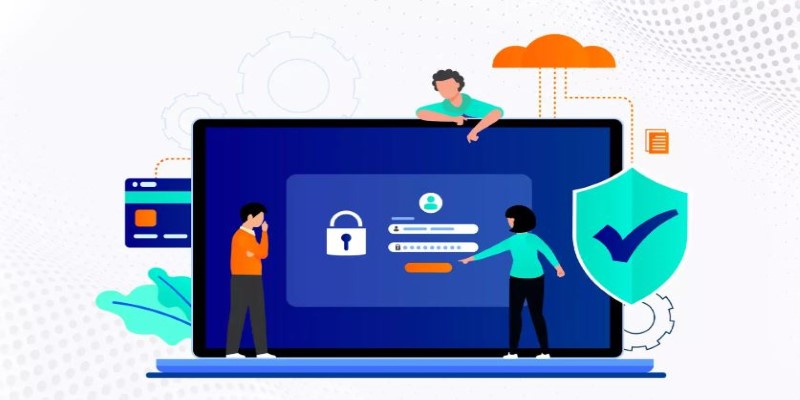
Here’s how it works in simple terms: You want access to something, say, a third-party app. Instead of giving that app your password, you let it talk to a provider (like Google), which checks your identity and hands back a token. That token is proof—like a guest badge—that gives you access for a limited time. No passwords are exchanged, and if the token ever gets compromised, it can be revoked without affecting your main account.
OAuth reduces password fatigue. Users don't need to manage yet another login. But it also comes with its own risks. If your main identity provider gets compromised, every connected service might be at risk. That's why services using OAuth still need to apply limits, like the scope of access and token expiration.
From a development perspective, OAuth simplifies authentication while centralizing trust. But it needs proper implementation. Poorly secured tokens, weak redirect URIs, or lack of proper scopes can undo the safety it promises. So, while OAuth can be the easier path, it’s not a shortcut for diligence.
2FA: That Second Lock You Really Need
Two-factor authentication, or 2FA, adds an extra step to your login—but it matters. It works like a second lock on your digital door. Even if someone steals your password, they still can't get in without this second piece of proof. That proof could be a code sent by SMS, a prompt from an app, a fingerprint, or even a physical security key.
The strength of 2FA lies in its simplicity. After you log in, you confirm your identity using another trusted method. Most attacks rely on stolen passwords, so this added layer stops a large chunk of threats right away.
However, not all 2FA methods are created equal. SMS codes can be intercepted. Authenticator apps are safer and more reliable. Hardware tokens are even better but may not be practical for everyone. Biometrics are gaining ground, offering both convenience and security.
What's clear is that 2FA has shifted the way people think about account safety. It's not just about protection—it's about changing habits. More users now pay attention to recovery settings, unusual logins, and personal data exposure. For anyone serious about user authentication and security, 2FA shouldn't be optional—it should be standard.
Keeping Security Tight Without Losing Users
Security matters, but so does the ease of use. If logging in feels like a chore or a test, users won't stick around. The heart of effective user authentication and security lies in striking a balance—strong protection without sacrificing convenience.

It starts with clear communication. When people understand why 2FA or login checks exist, they’re more likely to accept them. Avoid technical terms and explain features in plain language. Say “auto-logout for safety” instead of “token expiration.” Keep things human.
Design plays a big role. Logins should feel smooth. Autofill fields, visible recovery options, and customizable 2FA settings help. If someone loses access to their device, there should be a quick and secure way to get back in.
In the background, tools like rate limiting, IP tracking, and suspicious activity logs keep systems safe without disrupting users. Passwordless login—like email-based one-time codes—makes life easier while tightening security.
Good security is never done. It requires updates, patches, and awareness. When you make the experience seamless and the purpose clear, users stay protected—and happy.
Conclusion
User authentication and security are the backbone of trust in any digital system. With tools like OAuth and 2FA, we move beyond simple passwords to smarter, layered protection. The goal isn't to complicate access—it's to make safety feel seamless. When done right, security fades into the background while quietly guarding everything that matters. Whether you're building or logging in, keep it simple, strong, and user-focused because real security should protect you without ever getting in the way.
Related Articles
Why API Integration Is the Secret Behind Powerful Web Tools
Securing Access: The Simple Power of OAuth and 2FA

AVCHD vs MP4 Comparison: Which Format is Best for You?
5 Reliable Tools to Convert H.264 to MP4 on Your PC
What Encryption Really Does in Modern Online Tools
How to Convert MKV to MP4 with a Fast and Powerful Converter

How to Easily Change MP4 Files to MP3 Format on Windows
How to Capitalize All Letters in Word, Excel, and Other Apps: A Complete Guide
Choosing Between MP3 and MP4: A Guide to Quality and File Size
Top 10 Effective Converters to Convert VOB to MP4 in High Quality
How to Use Browse AI to Scrape Data from Any Website: A Step-by-Step Guide