 knacksnews
Top 8 Free Video Editors Reviewed and Compared in Detail
Numerous people engage in video editing activities because they use it to create both personal and professional digital content. You do not require expensive tools to make impressive videos. The market features multiple completely free video editors that include powerful features at zero cost. The guide evaluates eight top-level free video editing tools to assist you in choosing the best tool based on individual skill and requirement needs.
DaVinci Resolve
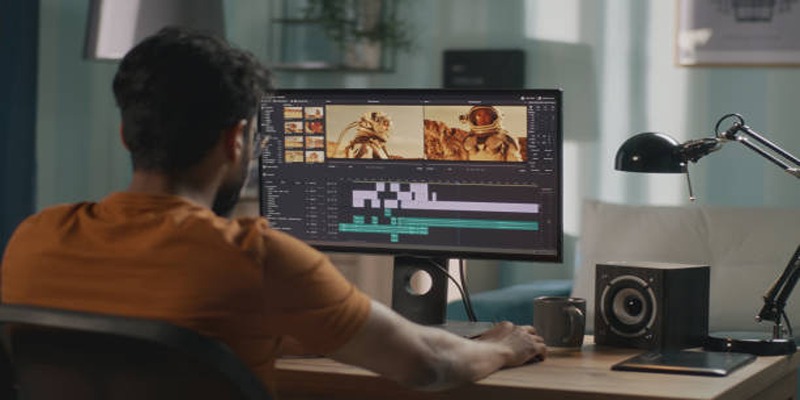
DaVinci Resolve functions as professional-grade video editing software that provides a free version with impressive feature capabilities. Users gain access to an extensive range of tools which enable them to correct color while performing audio post-production and adding visual effects. DaVinci Resolve enables users to edit multiple camera feeds in addition to providing features for 3D composition and motion graphic creation.
Pros:
- Professional-grade tools for free
- Extremely powerful audio editing (Fairlight feature)
Cons:
- May have a steep learning curve for beginners
Ideal For:
Experienced editors and those working on high-quality, feature-rich content.
2. Shotcut
Shotcut is a free, open-source video editing software that offers a straightforward and user-friendly interface. It has all the basic tools for cutting, trimming, and merging videos, as well as features like video and audio filters, color grading, and transitions.
Pros:
- Simple and intuitive interface
- Cross-platform compatibility (available for Windows, Mac, and Linux)
- Constantly updated with new features
Cons:
- Limited advanced capabilities compared to other paid software
Ideal For:
Beginners or those looking for a quick and easy way to edit basic videos without needing much technical knowledge. Shotcut is also great for content creators who want to produce regular content at a faster pace.
3. Lightworks
Lightworks is a professional video editing software used by industry professionals for film and TV production. It has been used in the editing of popular films such as Pulp Fiction, The Wolf of Wall Street, and LA Confidential.
Pros:
- Powerful and advanced capabilities
- Used by industry professionals
- Extensive library of tutorials available online
Cons:
- Steep learning curve for beginners
- Limited free version with restricted export options
Ideal For:
Professional filmmakers or those looking to create high-quality videos with advanced features and precise editing. It is also beneficial for those looking to pursue a career in film or TV production as it is widely used in the industry.
4. iMovie
iMovie is a user-friendly video editing software exclusively available for Mac and iOS users. It offers basic editing tools, such as cropping, trimming, and merging clips, along with a variety of visual effects and filters.
Pros:
- Simple and intuitive interface
- Easy to learn for beginners
- Free to use on Mac and iOS devices
Cons:
- Limited advanced features compared to other software
- Not suitable for professional filmmakers or complex projects
Ideal For:
Casual video editors who want to create simple videos quickly and easily without the need for extensive technical knowledge or experience. It is also ideal for those who prefer to edit on their mobile device rather than a computer.
5. OpenShot
OpenShot is a free and open-source video editor that is available for Windows, Mac, and Linux operating systems. It offers a wide range of features and capabilities to create professional-looking videos.
Pros:
- Free to use with no watermarks or limitations
- Cross-platform compatibility
- User-friendly interface with drag-and-drop functionality
Cons:
- Can be slow and crash on older computers or larger projects
- Limited advanced features compared to paid software
Ideal For:
Casual video editors who want a powerful tool without having to pay for a subscription. It is also suitable for those who prefer an open-source software option.
6. Blender
Blender is a free and open-source 3D creation software that also has video editing capabilities. It offers a wide range of features for both beginner and advanced users, making it a popular choice among content creators.
Pros:
- Powerful video editing tools with advanced features such as 3D animation, motion tracking, and visual effects
- Cross-platform compatibility
- Regular updates and active community support
Cons:
- Steep learning curve for beginners
- Requires a higher level of technical knowledge compared to other software on this list
Ideal For:
Those looking to create professional and complex videos with advanced visual effects. It is also suitable for those familiar with 3D modeling who want to incorporate it into their video projects.
7. HitFilm Express
HitFilm Express is a free video editing software that offers advanced features for creating professional videos. It combines traditional non-linear editing tools with a range of visual effects and compositing capabilities.
Pros:
- User-friendly interface with intuitive drag and drop functionality
- Extensive library of visual effects, transitions, presets, and templates
- Advanced 3D compositing and motion graphics features
- Green screen and color grading capabilities
- Direct upload to YouTube or Vimeo
Cons:
- Limited audio editing options compared to other software on this list
- Some features require a paid upgrade
Ideal For:
Those looking for a free video editor with advanced visual effects capabilities. It is also suitable for beginners with its user-friendly interface and drag-and-drop functionality.
VSDC Free Video Editor

VSDC Free Video Editor is a Windows-only software that offers advanced editing features for both videos and images. Its wide range of tools and effects allow users to create professional-looking videos without any watermarks or time limits.
Pros:
- Ability to work with multiple video layers
- Chroma key (green screen) and color correction options
- Advanced audio editing, including waveform visualization
- Built-in screen recorder
Cons:
- Only available on Windows operating system
- Steep learning curve for beginners
Ideal For:
Intermediate to advanced users who need a versatile video editor with advanced features such as multi-layer editing and chroma key.
How to Choose the Right Video Editor?
With so many free options available, choosing the right video editor depends on your specific needs and skill level. Here’s a breakdown:
- Best for Professionals: DaVinci Resolve or Lightworks
- Best for Beginners: Shotcut or OpenShot
- Best for Mac Users: iMovie
- Best for Visual Effects: HitFilm Express
It’s worth downloading and experimenting with a couple of options before committing to one. After all, the best editor is the one that feels intuitive and meets your creative needs.
Final Thoughts
Selecting the right video editor can significantly impact your creative workflow and the quality of your projects. Whether you're a seasoned professional or just starting out, there's a tool out there to suit your needs. Take the time to explore your options and practice with various features to find the perfect fit. Remember, creativity thrives when the tools work seamlessly with your vision.
On this page
DaVinci Resolve Pros: Cons: Ideal For: 2. Shotcut Pros: Cons: Ideal For: 3. Lightworks Pros: Cons: Ideal For: 4. iMovie Pros: Cons: Ideal For: 5. OpenShot Pros: Cons: Ideal For: 6. Blender Pros: Cons: Ideal For: 7. HitFilm Express Pros: Cons: Ideal For: VSDC Free Video Editor Pros: Cons: Ideal For: How to Choose the Right Video Editor? Final ThoughtsRelated Articles
How to Convert MKV to MP4 with a Fast and Powerful Converter

Simple Ways to Convert GIF Files to MOV Format Online

How Real-Time Collaboration Features are Revolutionizing Teamwork and Productivity
Why API Integration Is the Secret Behind Powerful Web Tools
What Encryption Really Does in Modern Online Tools
How to Share Audio on Zoom: The Step-by-Step Guide for Beginners
Top 7 Online Tools to Convert MOV to WMV Effortlessly
Free Ways to Convert HEVC to MP4 Without Losing Quality

Exploring Loom Screen Recorder: A Comprehensive Review
HEVC to MOV Conversion Made Simple for Windows Users
How to Easily Change MP4 Files to MP3 Format on Windows